Integrations
Langdock
Trace Langdock assistants in Muster via the Workspace Settings → Assistants integration.
Langdock is an enterprise AI platform for creating assistants without code, deployable as secure chat, Slack apps, or APIs. Muster (langfuse) tracing is built in — enable it once at the workspace level, then opt each assistant in.
Setup
1. Get Muster API keys
Sign up at your Muster instance and copy the public/secret keys plus host URL.
2. Enable assistant logging at the workspace level
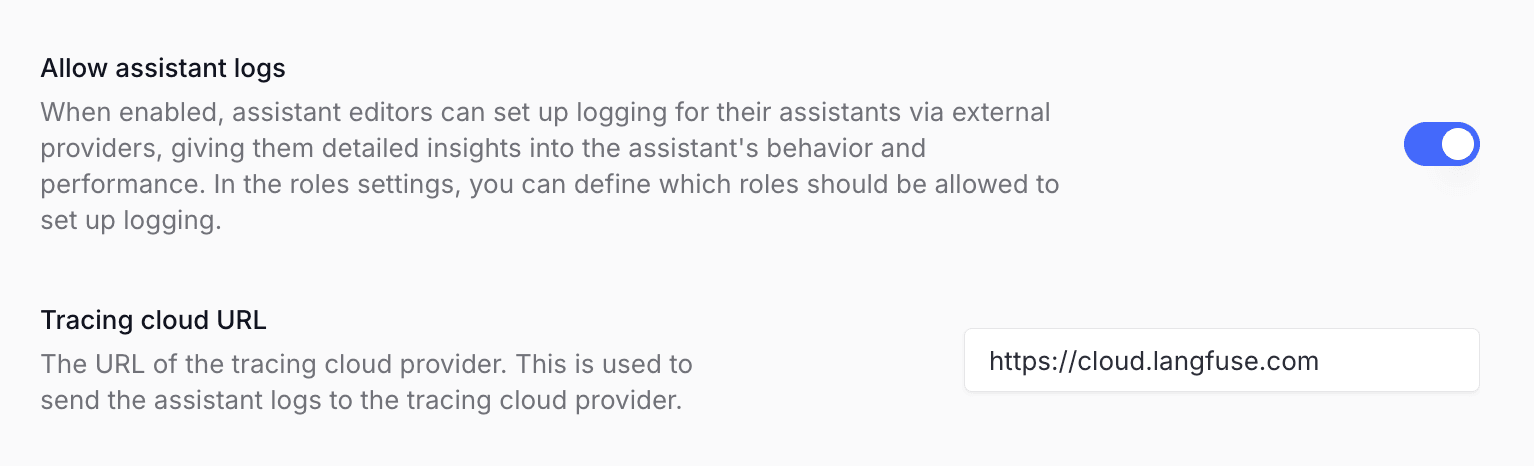
In Langdock → Workspace Settings → Assistants, enable assistant logging
and paste in your Muster cloud URL (https://app.getmuster.io or your
self-hosted URL).
3. Enable tracing per assistant
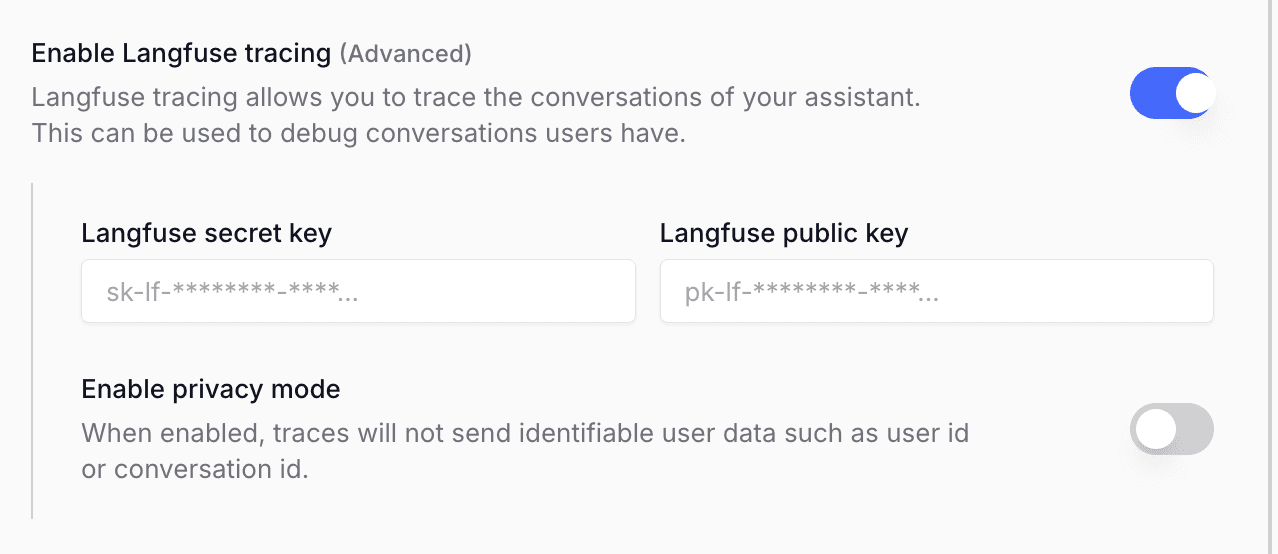
When creating or editing an assistant, enable Langfuse tracing in the configuration and paste in the Muster credentials. Save.
Conversations stream to Muster automatically.