OpenRouter
Trace OpenRouter (280+ models) calls in Muster — either via OpenRouter's no-code Broadcast or via the Muster OpenAI wrapper.
OpenRouter exposes 280+ language models from many providers behind a single OpenAI-compatible API. Muster supports two ways to capture OpenRouter calls.
Option 1: Broadcast (no-code)
OpenRouter's Broadcast feature automatically forwards traces to Muster — no code changes required. Connect your Muster API keys in your OpenRouter settings.
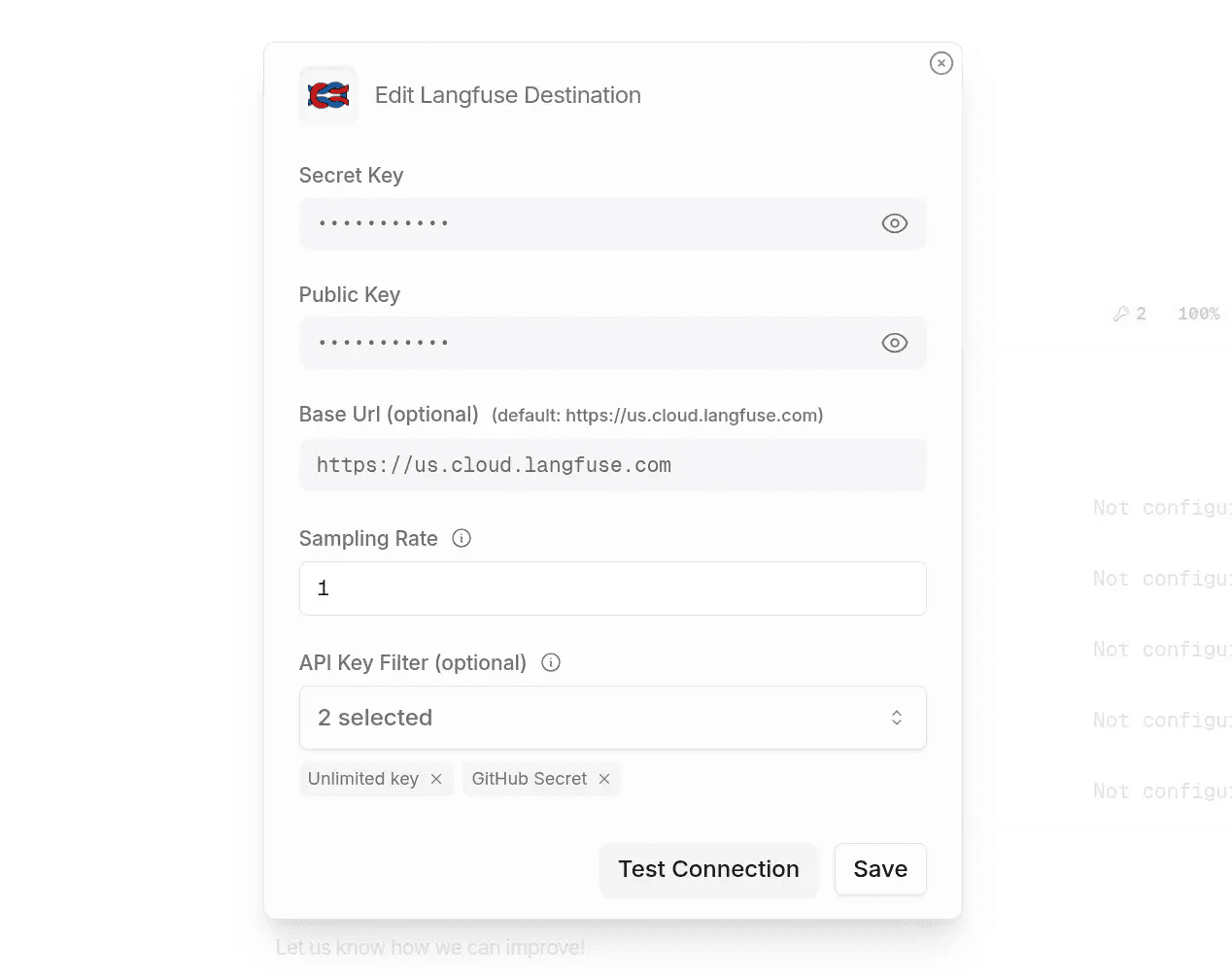
This route is best when you want to capture all OpenRouter requests with minimal configuration and you don't need custom metadata or nested spans.
Option 2: Muster OpenAI SDK wrapper
The SDK wrapper enables nested tracing, custom metadata, and full control over trace data.
Install
pip install langfuse openaiConfigure
import os

LANGFUSE_SECRET_KEY = "sk-lf-..."
LANGFUSE_PUBLIC_KEY = "pk-lf-..."
LANGFUSE_BASE_URL = "https://app.getmuster.io"

os.environ["LANGFUSE_PUBLIC_KEY"] = LANGFUSE_PUBLIC_KEY
os.environ["LANGFUSE_SECRET_KEY"] = LANGFUSE_SECRET_KEY
os.environ["LANGFUSE_BASE_URL"] = LANGFUSE_BASE_URL

# OpenRouter uses the OPENAI_API_KEY env var
os.environ["OPENAI_API_KEY"] = "<YOUR_OPENROUTER_API_KEY>"
Simple LLM call
from langfuse.openai import openai

client = openai.OpenAI(
    base_url="https://openrouter.ai/api/v1",
    default_headers={
        "HTTP-Referer": "<YOUR_SITE_URL>",
        "X-Title": "<YOUR_SITE_NAME>",
    },
)

response = client.chat.completions.create(
    model="qwen/qwen-plus",
    messages=[
        {"role": "system", "content": "You are a helpful assistant."},
        {"role": "user", "content": "Tell me a fun fact about space."},
    ],
    extra_body={"usage": {"include": True}},
    name="fun-fact-request",
)

print(response.choices[0].message.content)
Nested calls
from langfuse import observe
from langfuse.openai import openai

client = openai.OpenAI(base_url="https://openrouter.ai/api/v1")

@observe()
def analyze_text(text: str):
    summary = summarize_text(text).choices[0].message.content
    sentiment = analyze_sentiment(summary).choices[0].message.content
    return {"summary": summary, "sentiment": sentiment}

@observe()
def summarize_text(text: str):
    return client.chat.completions.create(
        model="openai/gpt-3.5-turbo",
        messages=[
            {"role": "system", "content": "You summarize texts in a concise manner."},
            {"role": "user", "content": f"Summarize the following text:\n{text}"},
        ],
        extra_body={"usage": {"include": True}},
        name="summarize-text",
    )

@observe()
def analyze_sentiment(summary: str):
    return client.chat.completions.create(
        model="openai/gpt-3.5-turbo",
        messages=[
            {"role": "system", "content": "You analyze the sentiment of texts."},
            {"role": "user", "content": f"Analyze the sentiment of the following summary:\n{summary}"},
        ],
        extra_body={"usage": {"include": True}},
        name="analyze-sentiment",
    )

analyze_text("OpenAI's GPT-4 model has significantly advanced the field of AI.")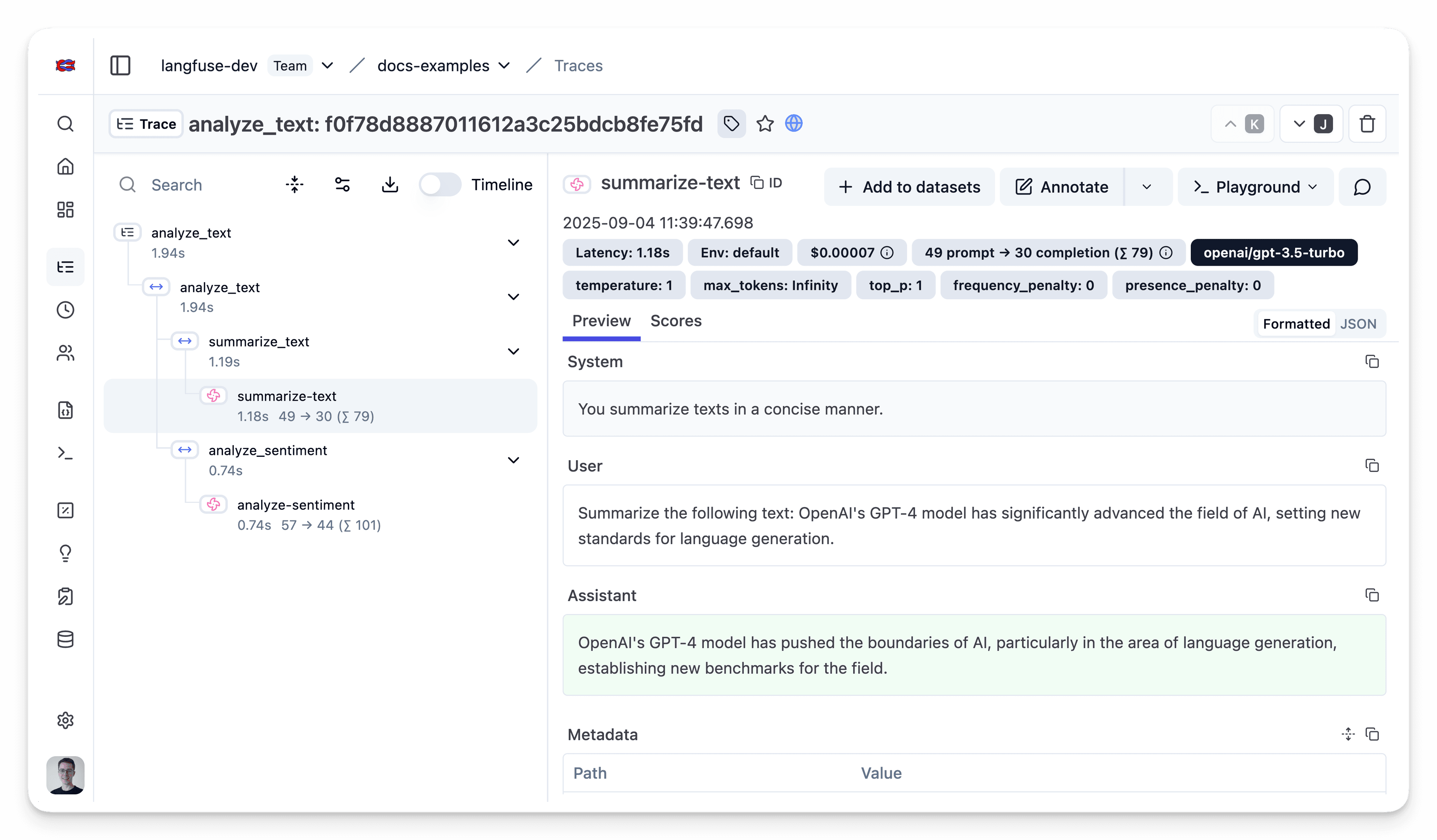
Cost tracking
To capture OpenRouter cost data accurately, enable Usage Accounting in OpenRouter so each call returns costs.