LiteLLM Proxy
Capture every LLM call routed through the LiteLLM proxy and log it to Muster.
This guide demonstrates how to use the LiteLLM Proxy to capture LLM calls and log them to Muster.
What is LiteLLM? LiteLLM is an open-source proxy and SDK that provides a single unified API to call and manage hundreds of different LLM providers and models with OpenAI-compatible endpoints.
What is Muster? Muster is an LLM observability platform built on the open-source Langfuse core. It traces, monitors, and debugs LLM applications.
Integration Methods
There are three ways to integrate LiteLLM with Muster:
- Sending logs via the LiteLLM Proxy to capture all LLM calls going through the proxy.
- Using the LiteLLM SDK to capture LLM calls directly.
- Using any compatible framework (such as the OpenAI or LangChain SDK).
This integration page focuses on the LiteLLM Proxy. For the SDK integration details, see LiteLLM SDK Integration upstream.
LiteLLM Proxy Setup
Local Configuration
Step 1: Add credentials to environment variables
export LANGFUSE_PUBLIC_KEY="pk-lf-..."
export LANGFUSE_SECRET_KEY="sk-lf-..."
export LANGFUSE_OTEL_HOST="https://app.getmuster.io"  # or your self-hosted Muster URL
Step 2: Set up litellm_config.yaml
model_list:
  - model_name: gpt-5.1
    litellm_params:
      model: gpt-5.1
litellm_settings:
  callbacks: ["langfuse_otel"]
Step 3: Start the proxy
litellm --config /path/to/litellm_config.yamlStep 4: Use the proxy to log traces to Muster
curl -X POST "http://0.0.0.0:4000/v1/chat/completions" \
  -H "Content-Type: application/json" \
  -H "Authorization: Bearer sk-xxxx" \
  -d '{
    "model": "gpt-3.5-turbo",
    "messages": [
      {"role": "system", "content": "You are a very accurate calculator. You output only the result of the calculation."},
      {"role": "user", "content": "1 + 1 = "}
    ]
  }'
Step 5: View traces in Muster
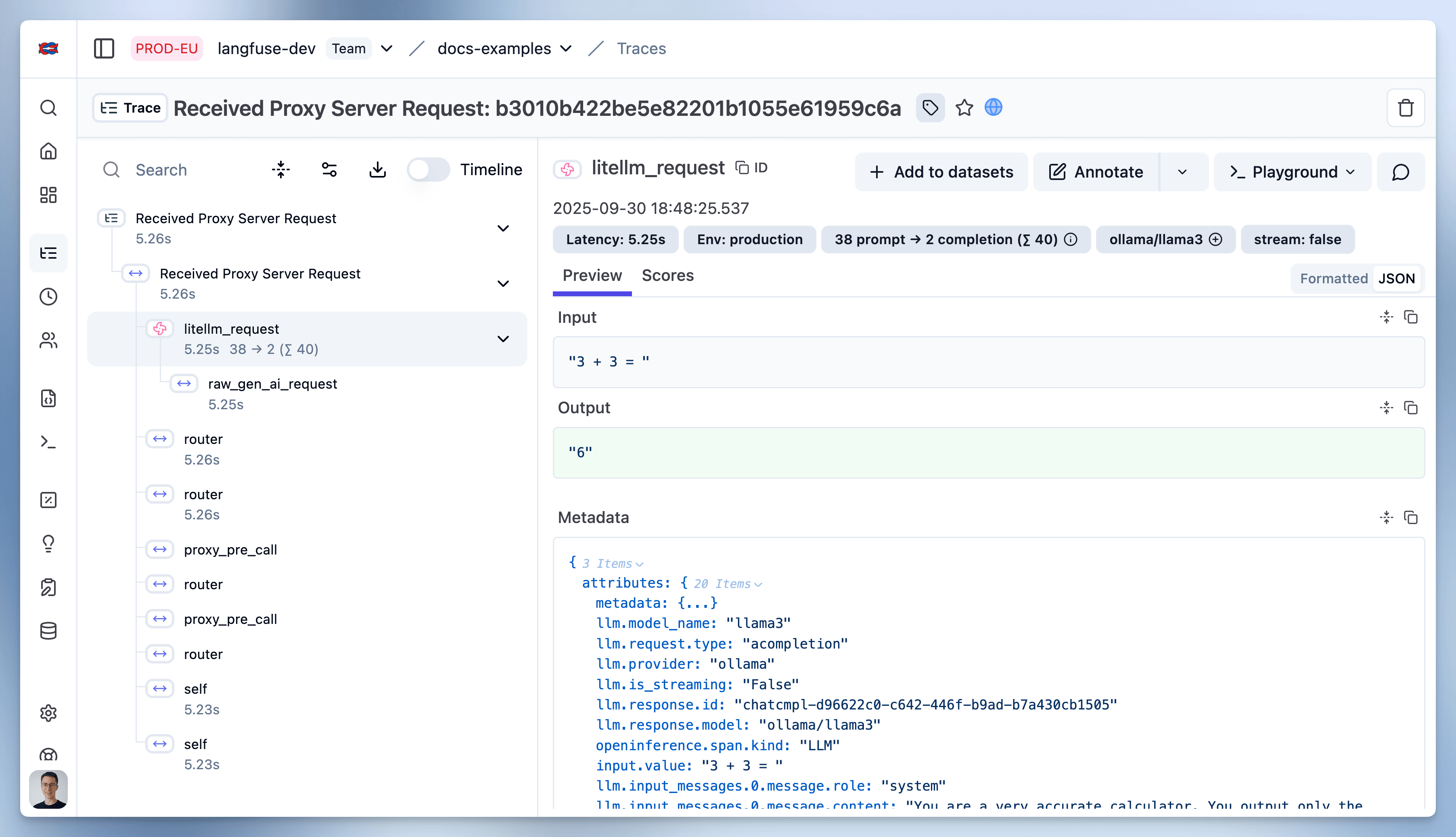
For detailed information, see the LiteLLM docs.
LiteLLM UI Configuration
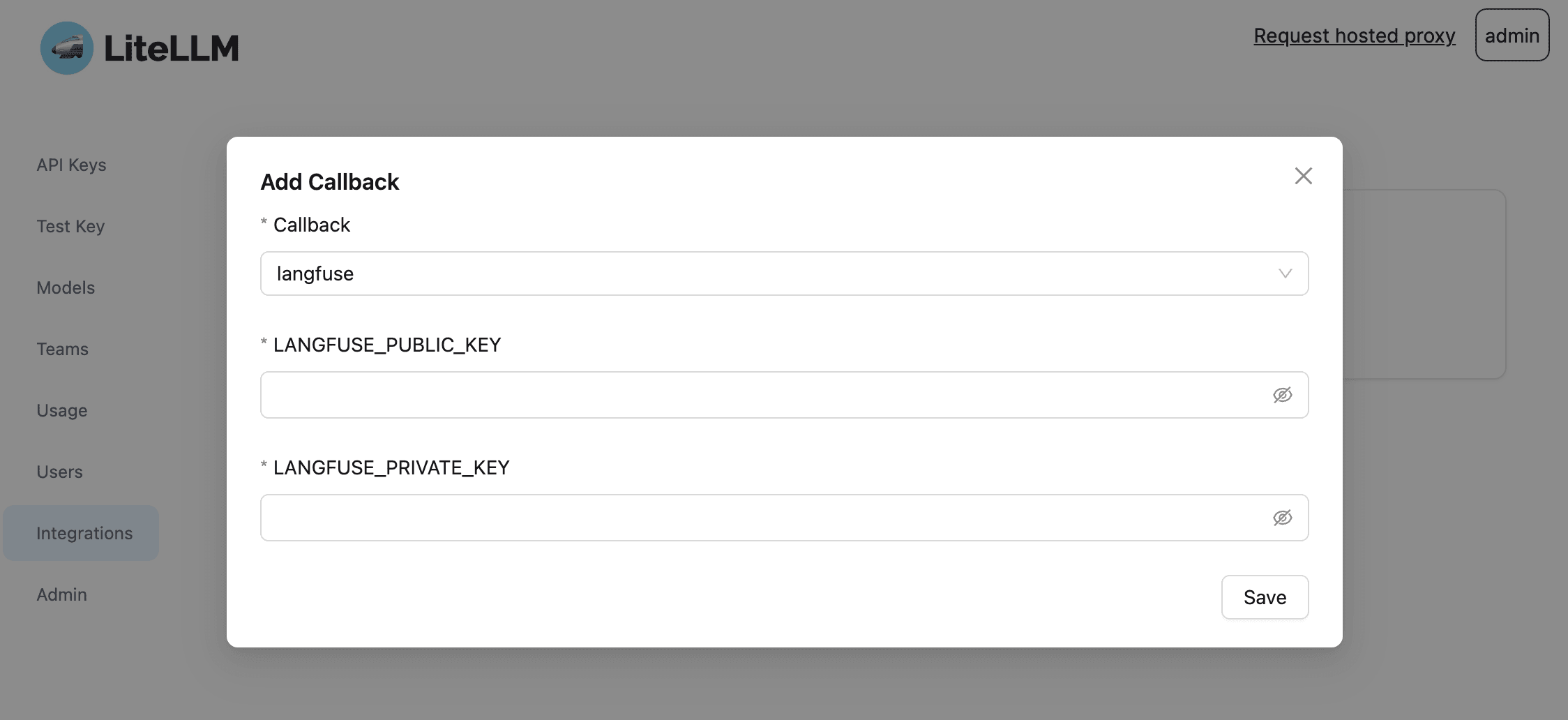
You can also configure the Muster callback through the LiteLLM UI for instant logging across all providers. See the LiteLLM UI docs for setup instructions.
You can attach attributes to requests to group them into traces, add
userId, tags, sessionId, and more. These attributes are shared across
both platforms:
Learn More About LiteLLM
What is LiteLLM?
LiteLLM is an open source proxy server to manage auth, load balancing, and spend tracking across more than 100 LLMs. It has become a widely used utility for developers working with LLMs.
Is LiteLLM Open Source?
Yes. The majority of its code is permissively MIT-licensed. Access the project on GitHub.
Can I use LiteLLM with Ollama and local models?
Yes. LiteLLM supports all models from Ollama, and it provides a Docker image for an OpenAI API-compatible server for local LLMs like llama2, mistral, and codellama.
How does LiteLLM simplify API calls across multiple LLM providers?
LiteLLM provides a unified interface for calling models such as OpenAI,
Anthropic, Cohere, Ollama, and others. You can call any supported model
using a consistent method, such as completion(model, messages), and expect
a uniform response format.