Integrations
Open WebUI
Trace Open WebUI conversations in Muster via the Pipelines plugin.
Open WebUI is a self-hosted, offline-capable chat UI for LLMs. Trace its conversations in Muster by installing the Langfuse Pipelines filter.
Setup
1. Launch Open WebUI
Follow the official Open WebUI install docs.
2. Start the Pipelines container
docker run -p 9099:9099 \
  --add-host=host.docker.internal:host-gateway \
  -v pipelines:/app/pipelines \
  --name pipelines --restart always \
  ghcr.io/open-webui/pipelines:main
3. Connect Pipelines as an OpenAI provider
In Open WebUI, go to Admin Panel → Settings → Connections and add an OpenAI API connection:
- URL:
http://localhost:9099/ - Password:
0p3n-w3bu!
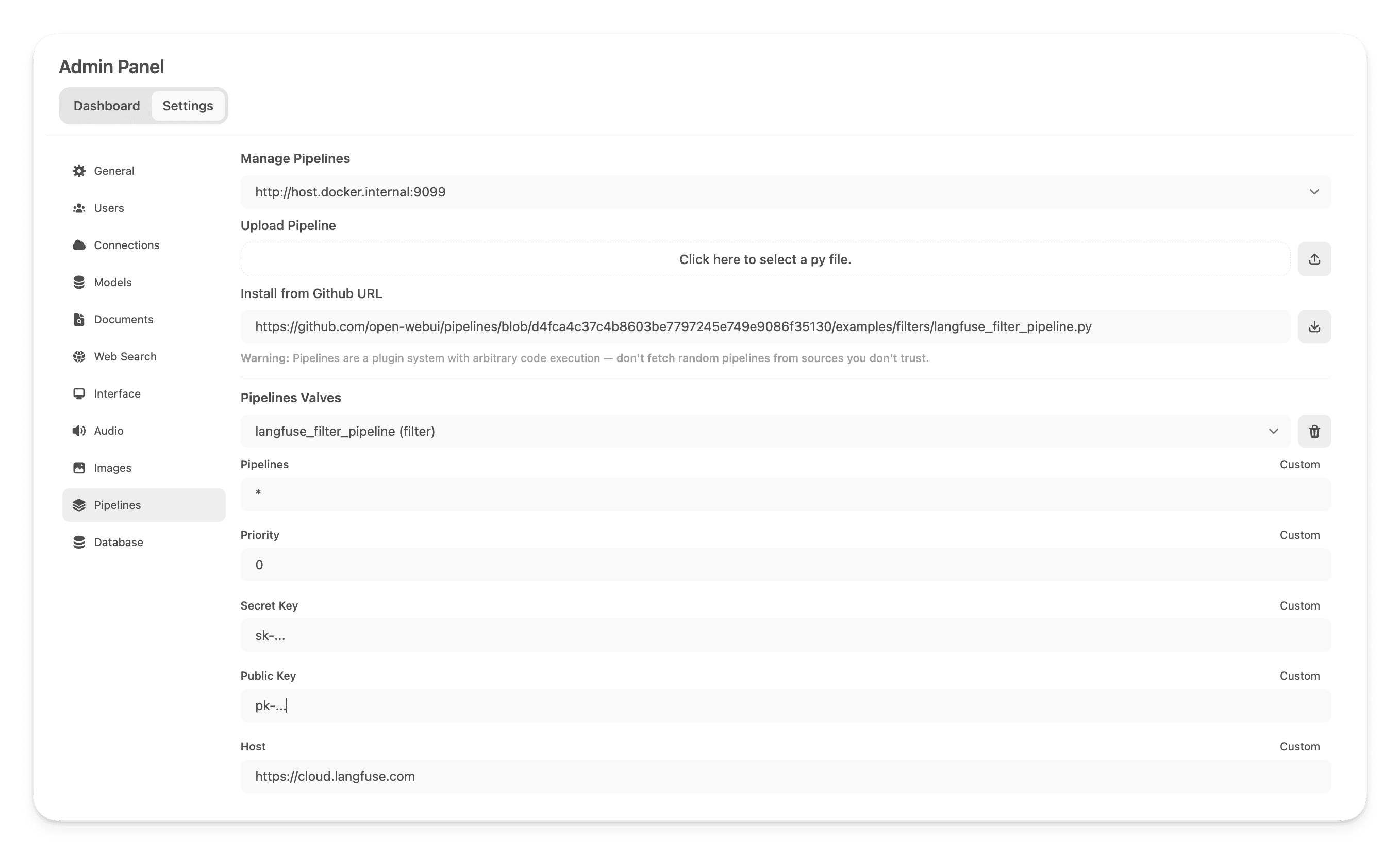
4. Install the Muster (langfuse) filter
Go to Admin Panel → Settings → Pipelines and install from this URL:
https://github.com/open-webui/pipelines/blob/main/examples/filters/langfuse_v3_filter_pipeline.pyAdd your Muster API keys (public key, secret key, host).
5. Enable usage tracking
In each model's Capabilities section, check "Usage" so token counts flow through with streaming responses.